
Bidding Help article
Create Tile Bid
A tile bid prices hard-floor maintenance — stripping, recoating, scrubbing, buffing or grout cleaning — by the square foot. You pick the method and how often it runs, measure the floor, and CleanGuru returns a price range you can turn into a proposal.
Start the Bid
Open the Tile bids screen
In the top navigation bar, hover Bids and choose Tile.
Start a new bid
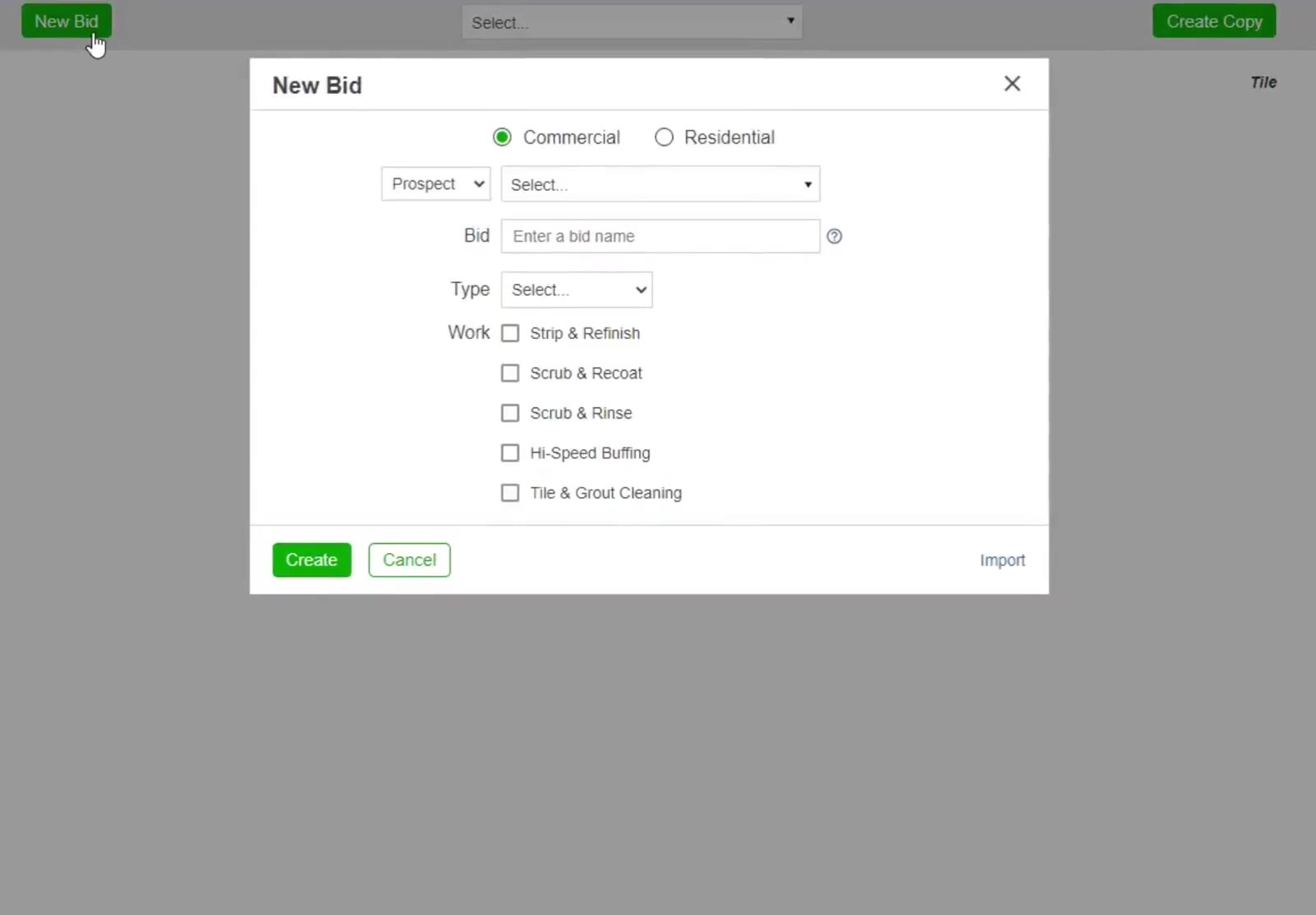
Click the green New Bid button at the top left.
Fill in the bid details
Choose Commercial or Residential, pick Prospect or Customer and select the name, type a name in the Bid box, and set the building Type.
Choose the work and how often
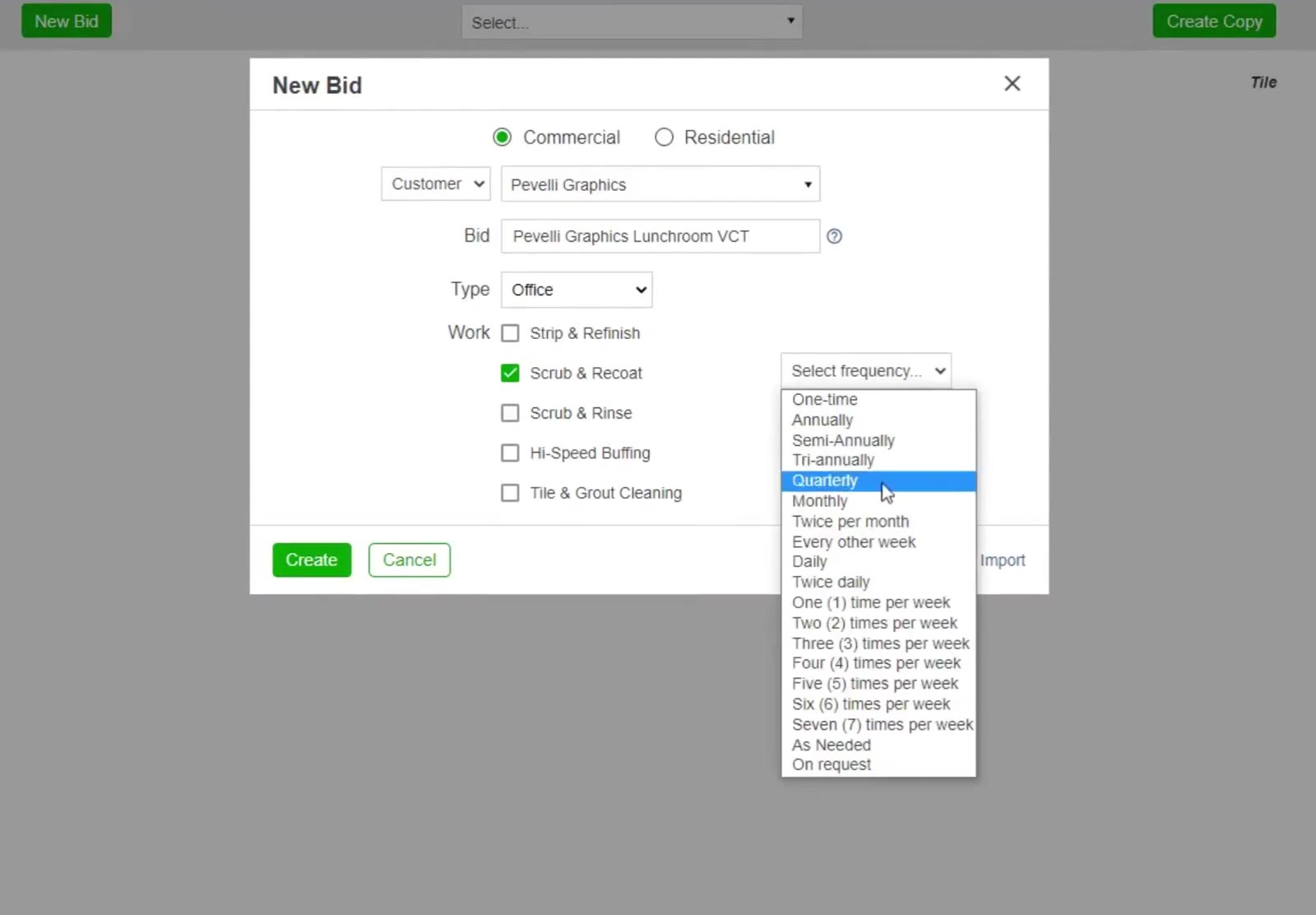
Under Work, tick the method you are quoting — Strip & Refinish, Scrub & Recoat, Scrub & Rinse, Hi-Speed Buffing or Tile & Grout Cleaning. A frequency dropdown appears beside it; choose how often the work runs, then click Create.
Measure the Floor
Open the Areas tab
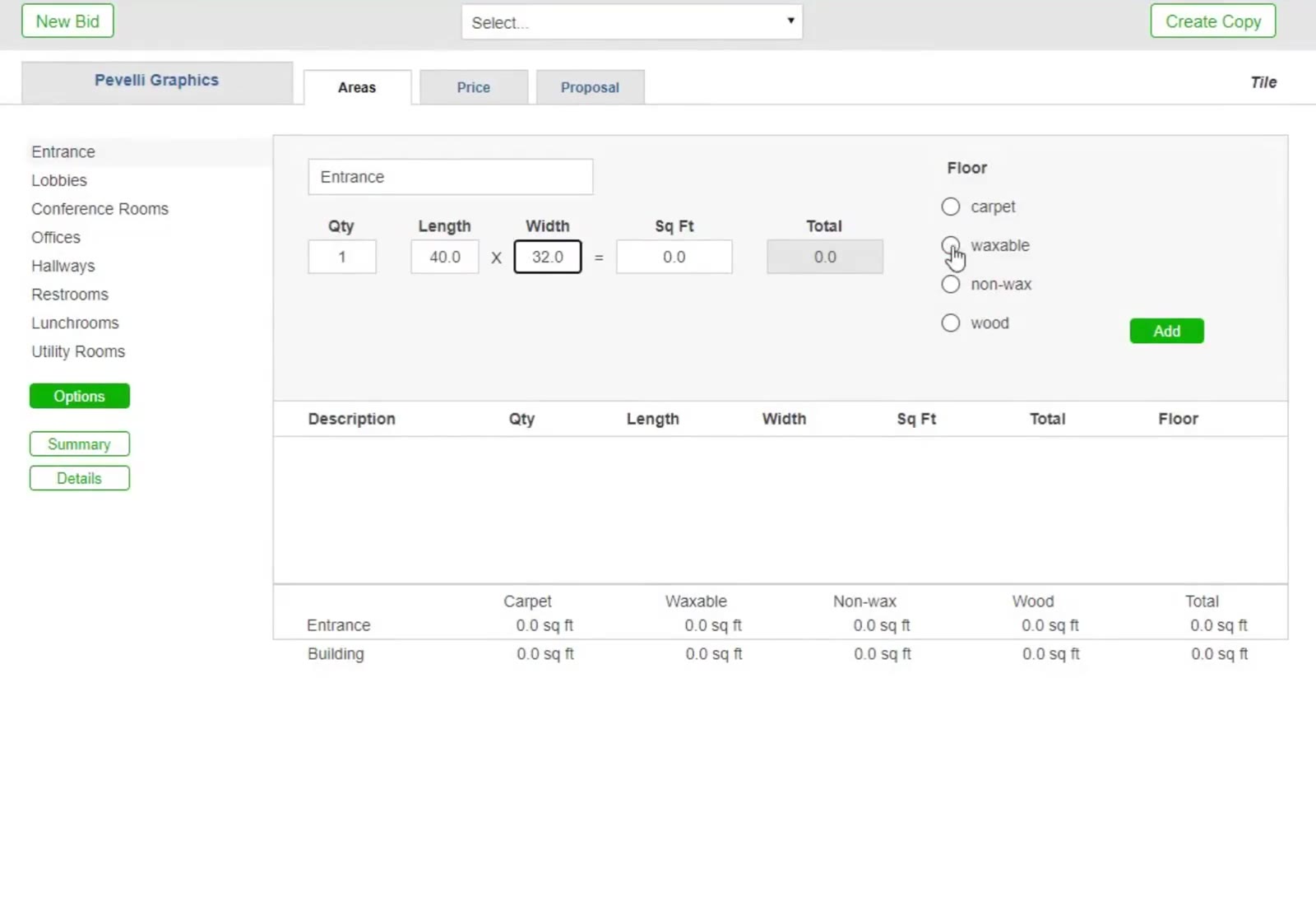
Click Areas, then choose Manual in the Enter Measurements box so you can enter the floor exactly. Express estimates every area from the building’s total cleanable square footage instead.
Enter the area
Type the room name, then its Length and Width — CleanGuru works out the square footage. Pick the Floor type (VCT is waxable) and click Add. Repeat for every area you are quoting.
Check the Work Specifications
Open the specifications
On the Areas tab, click the green Options button below the area list.
Adjust the task list
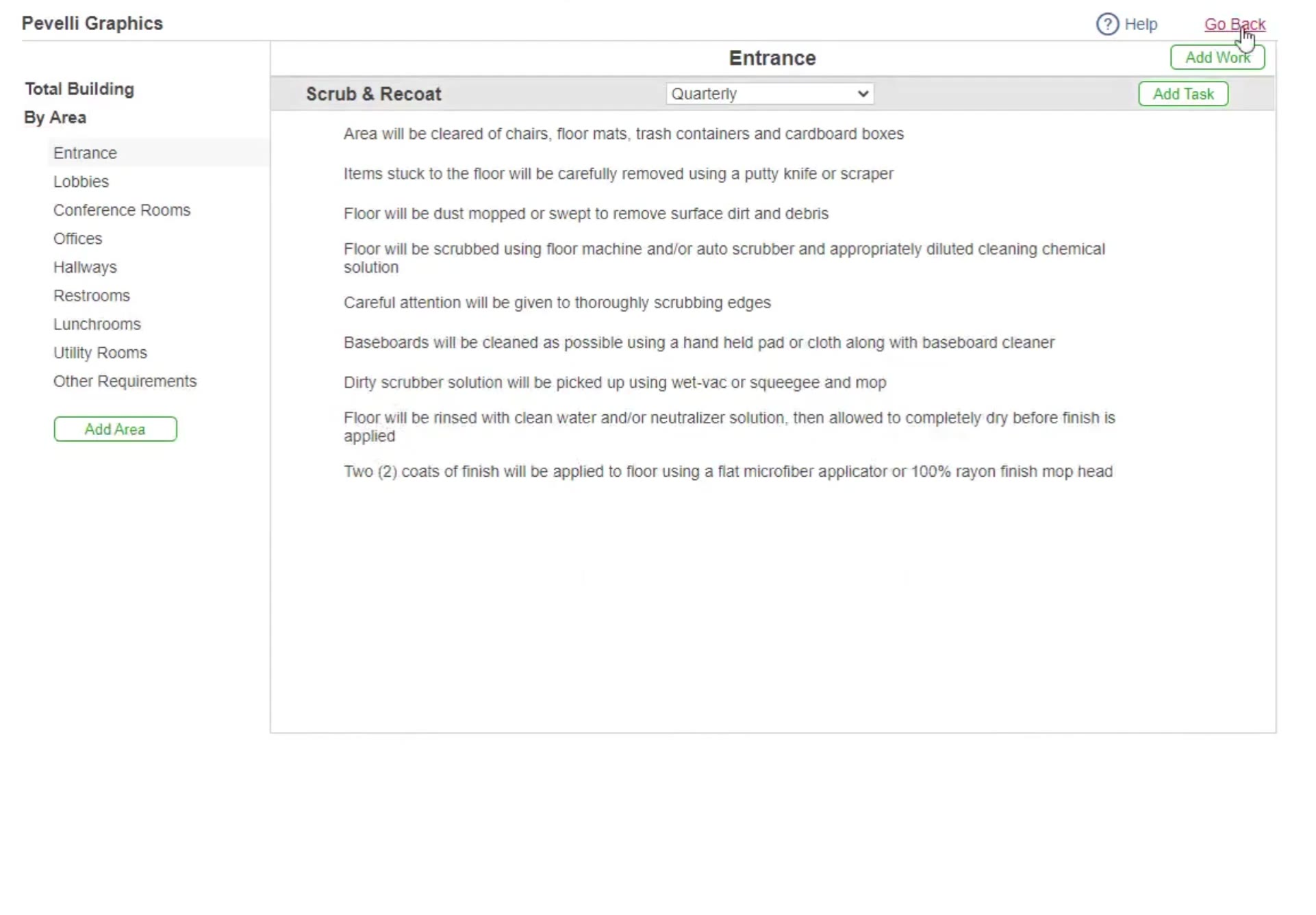
The method you chose appears as a section with its frequency beside it. Use Add Task to add your own, Add Work to add a second method, and the Total Building / By Area sidebar to switch between the whole building and one area. Click Go Back when you are finished.
Price the Job
Open the Price tab
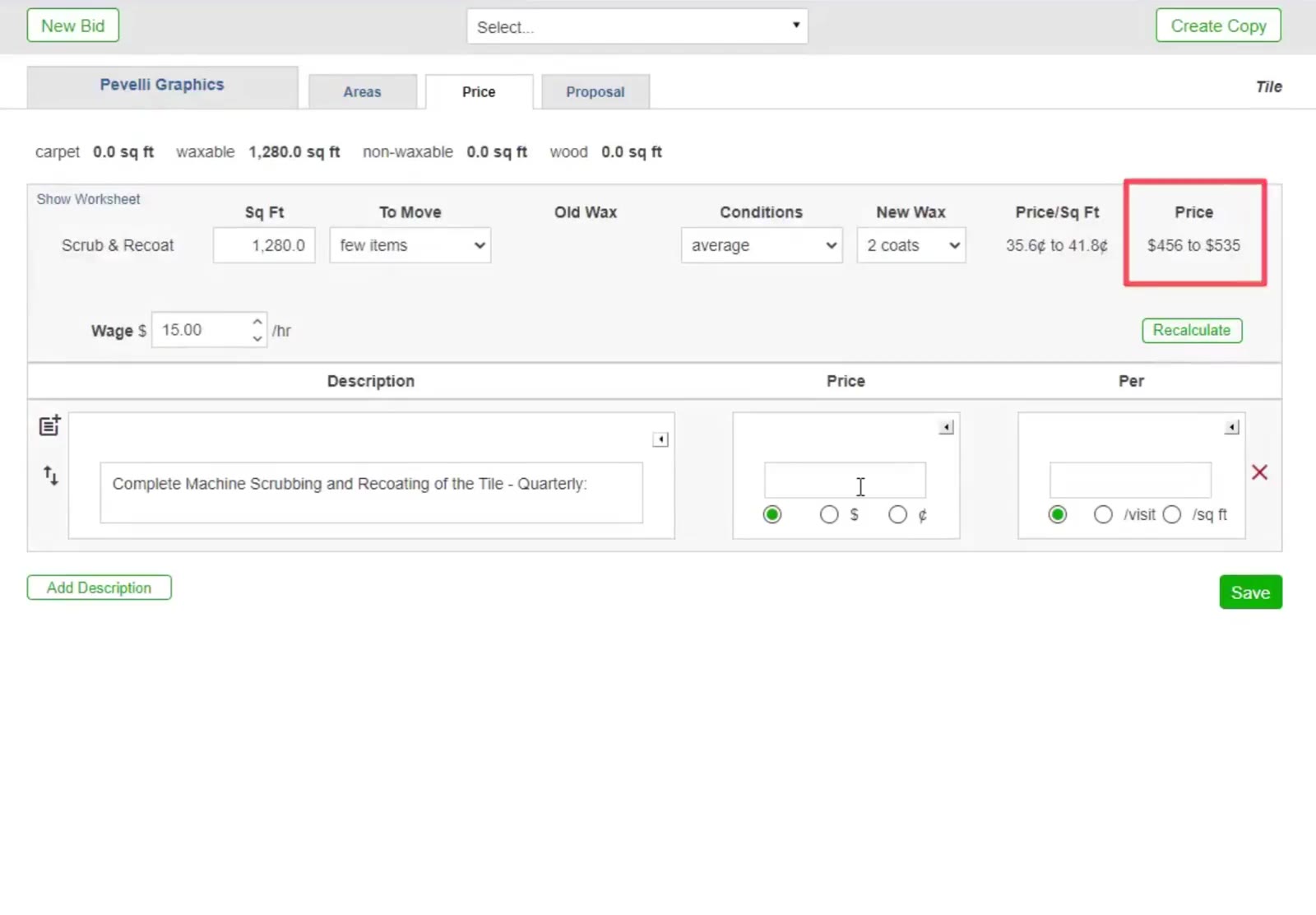
Click Price. Each method gets a row showing Sq Ft, To Move, Old Wax, Conditions, New Wax, Price/Sq Ft and Price.
Set the pricing factors
Enter your hourly rate in Wage $, set how much furniture there is To Move, the floor’s Conditions and how many coats of New Wax you will lay, then click Recalculate.
Enter your price
CleanGuru has already written a description for each method you ticked. Type your figure into the Price box, choose $ or ¢ and /visit or /sq ft, then click Save. To reword a line, click the icon to its left to pick a standard description, or type your own.
Build the Proposal
Choose what the proposal contains
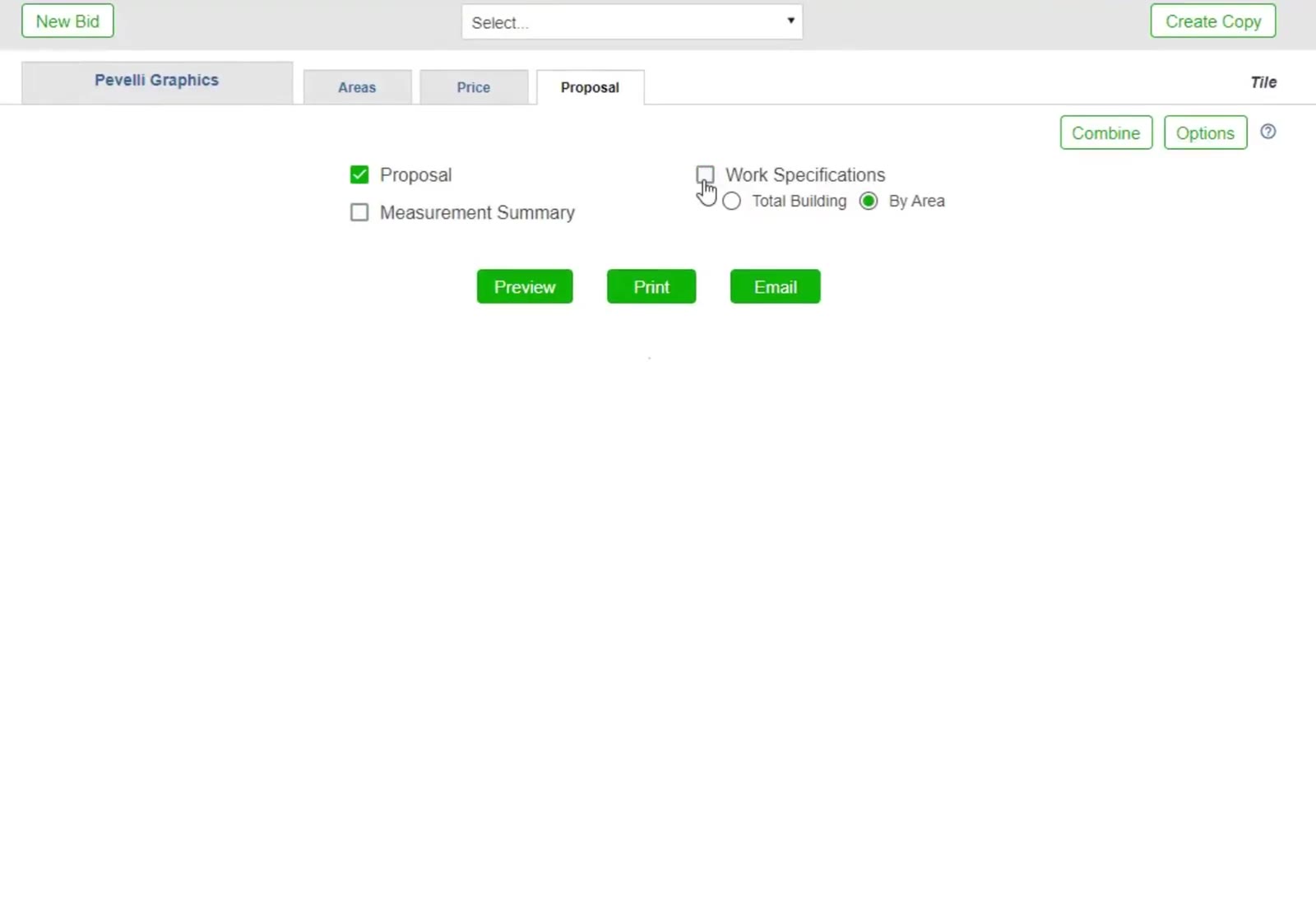
Click Proposal, then tick what to include — Proposal, Measurement Summary and Work Specifications, with Total Building or By Area for the specifications.
Open the section options
Click Options at the top right of the Proposal tab.
Reword or drop a section
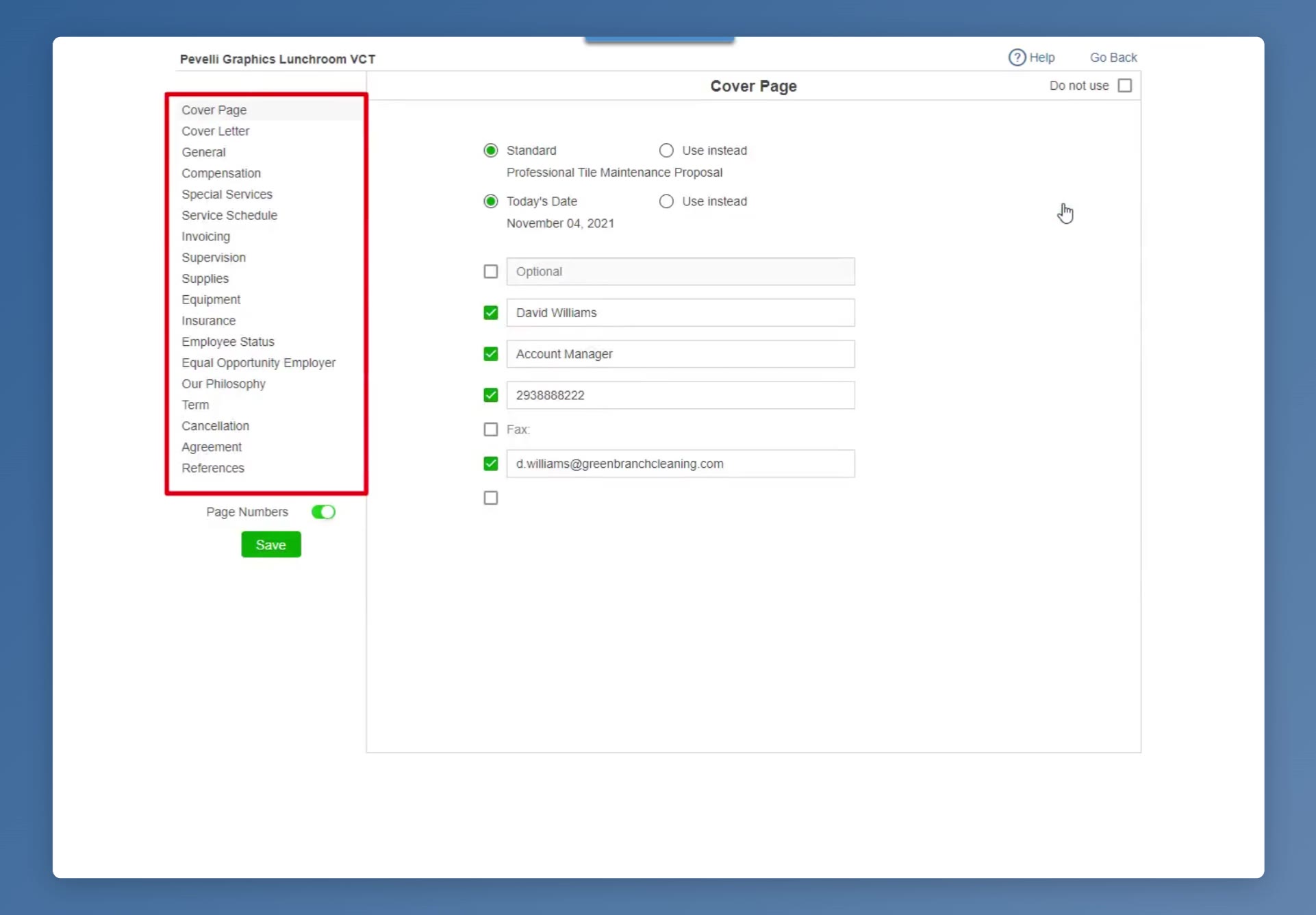
Pick a section in the list on the left — Cover Page, Cover Letter, General, Compensation through to References — to change its wording, or tick Do not use to leave it out of this proposal. Page Numbers switches page numbering on and off. Click the green Save, then Go Back to return to the Proposal tab.
Preview it, then send it
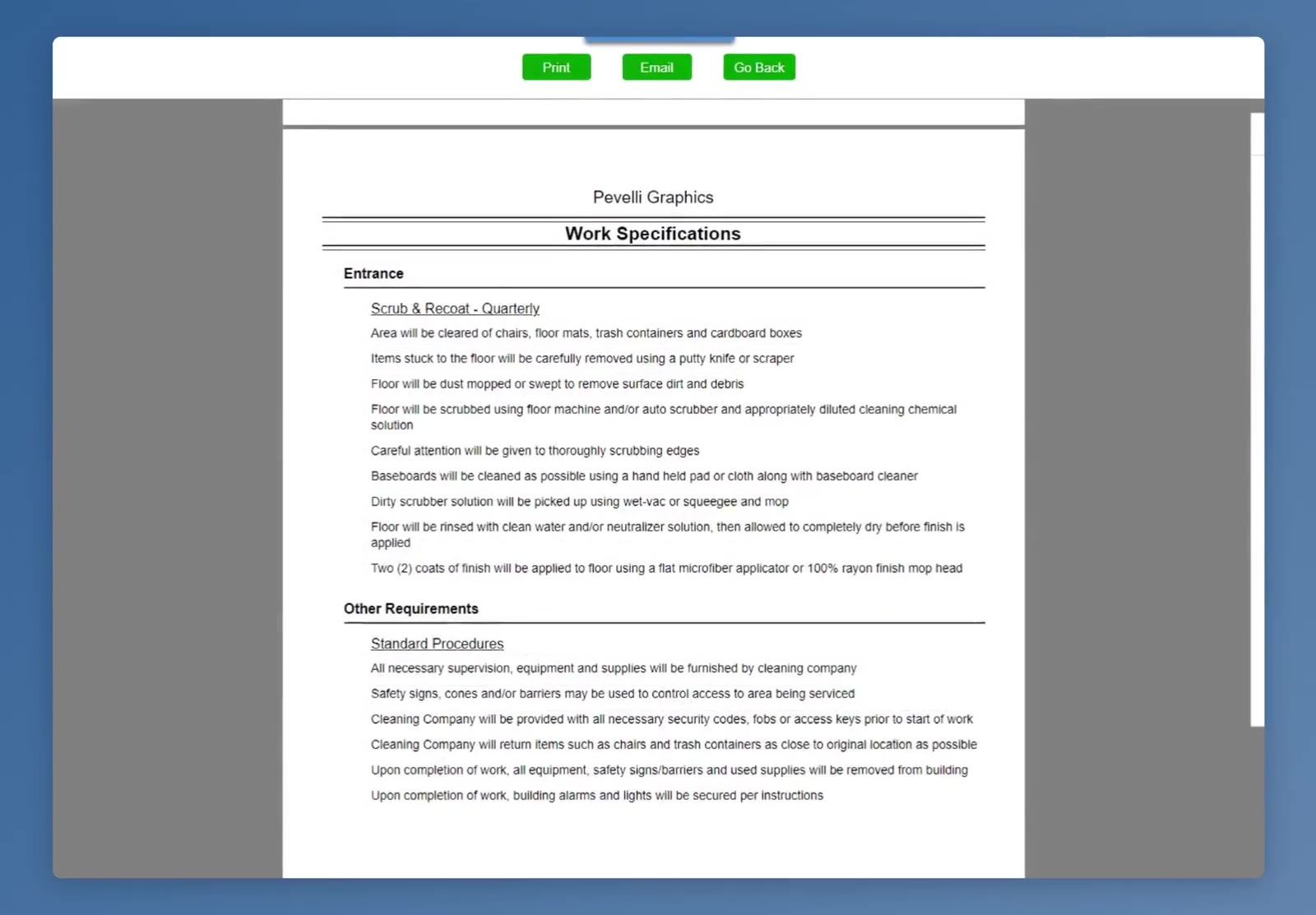
Click the green Preview button. Page through the proposal — the work specifications spell out every step of the method for the customer — then click Print or Email at the top, or Go Back to keep editing.
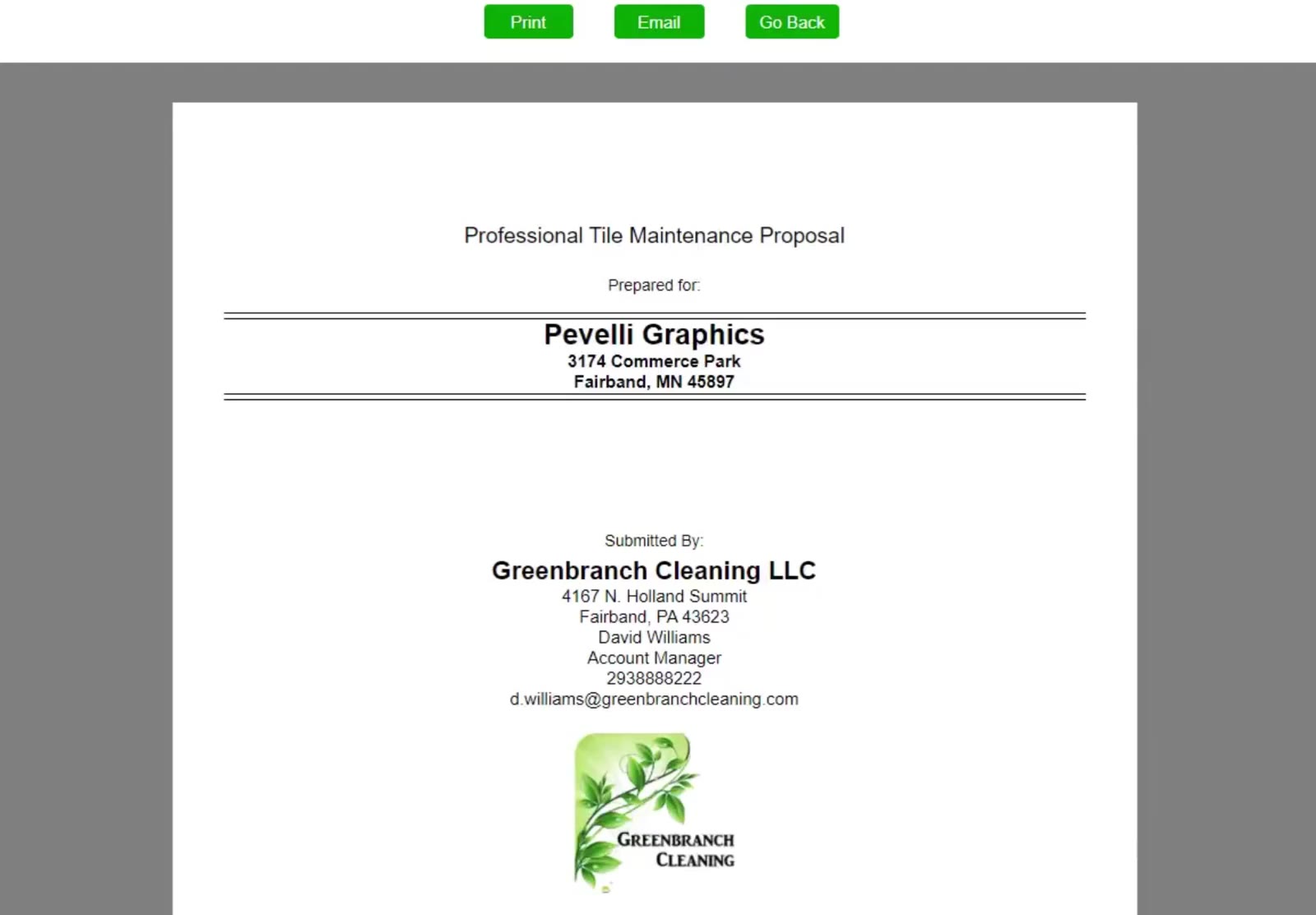
That is a complete tile bid: measured, specified, priced and packaged as a proposal you can send. The same path works for any of the five methods, and a floor that needs more than one — a strip and refinish now, quarterly scrub and recoat after — takes a second Work line in the same bid.